
Maia

PROBE 233.23.A CONNECTION ESTABLISHED

INCOMING TRANSMISSION:


Blog

Maia Update 0.54: Celsius


This new release introduces increased feedback for players including wall monitors, an improved room placement system, measured temperatures and colour pickers.

Maia will be 44% off on Steam from 6pm tonight for 4 days!

Here is Simon’s showcase video.

Temperature Simulation

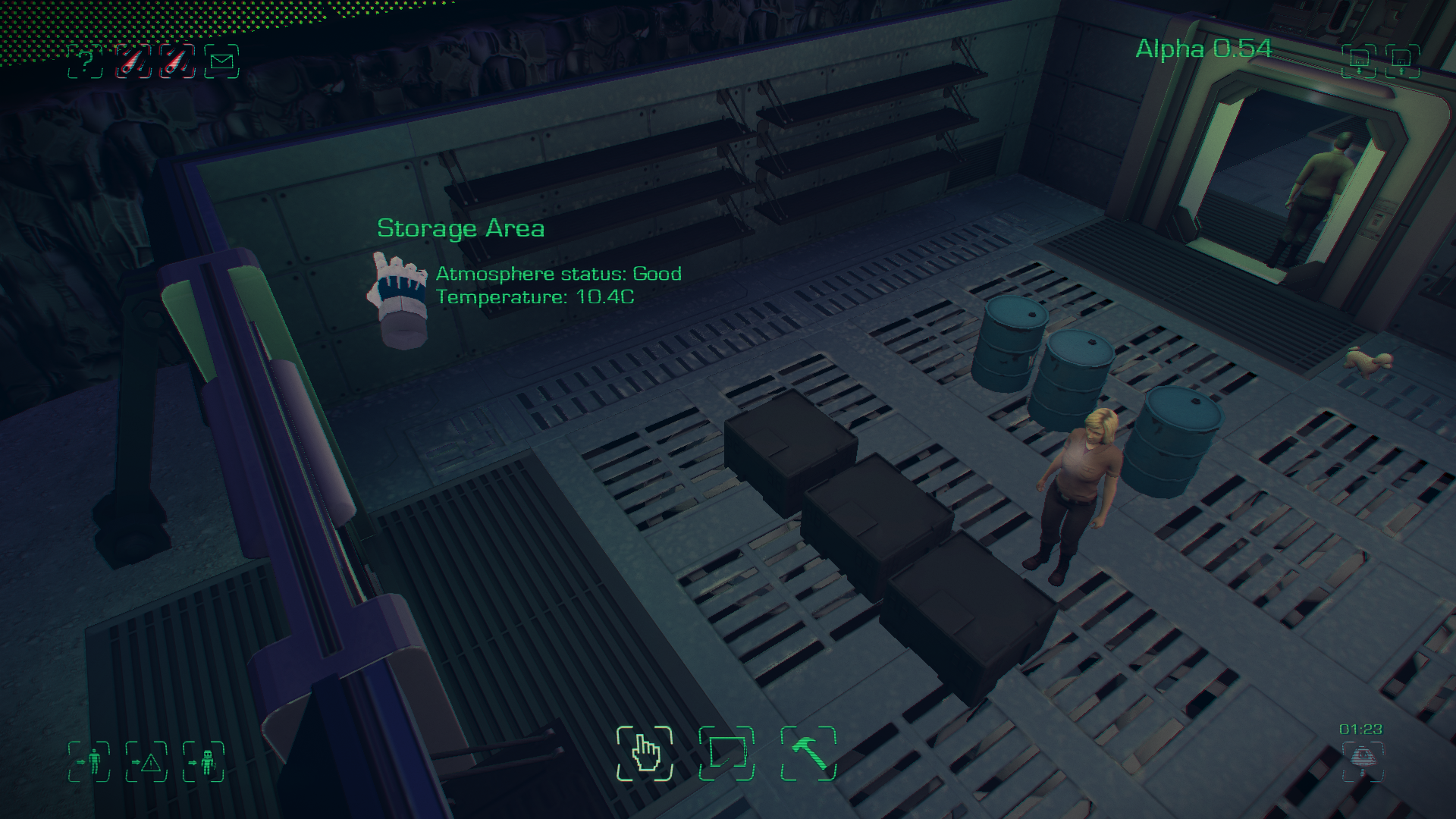
Thermal energy is now fully and quite accurately simulated in the game. Every element of gameplay is now affected by temperature, it’s a critical factor in keeping your colonists alive and well. Hypothermia and hyperthermia can affect your colonists with lethal consequences.
closescreens_thumb

The caves of Maia are cold and dark, players can create heat by placing the new wall mounted space heaters as well as the existing atmosphere generators. Various other items create heat too, for example smelters, computers, human bodies, chickens, lights… and fire.
coldwall_thumb

Be careful not to make the rooms too hot as colonists will burn up, quite literally.

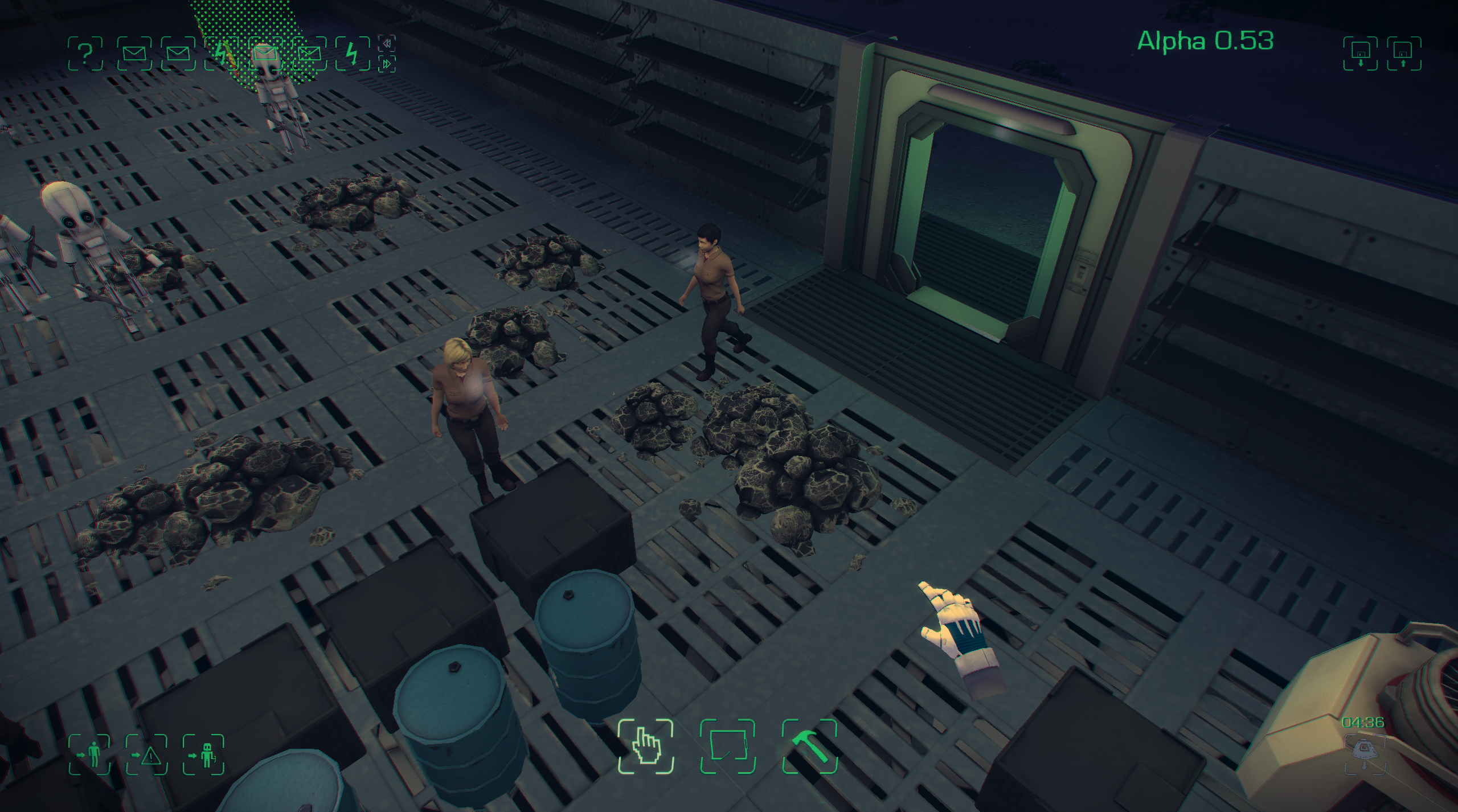
Colonists will also now show signs that they are cold, you’ll notice their breath starts to show in cold areas of the base and them shivering as hypothermia takes its grip.
coldcolonists_thumb

Base Customisation

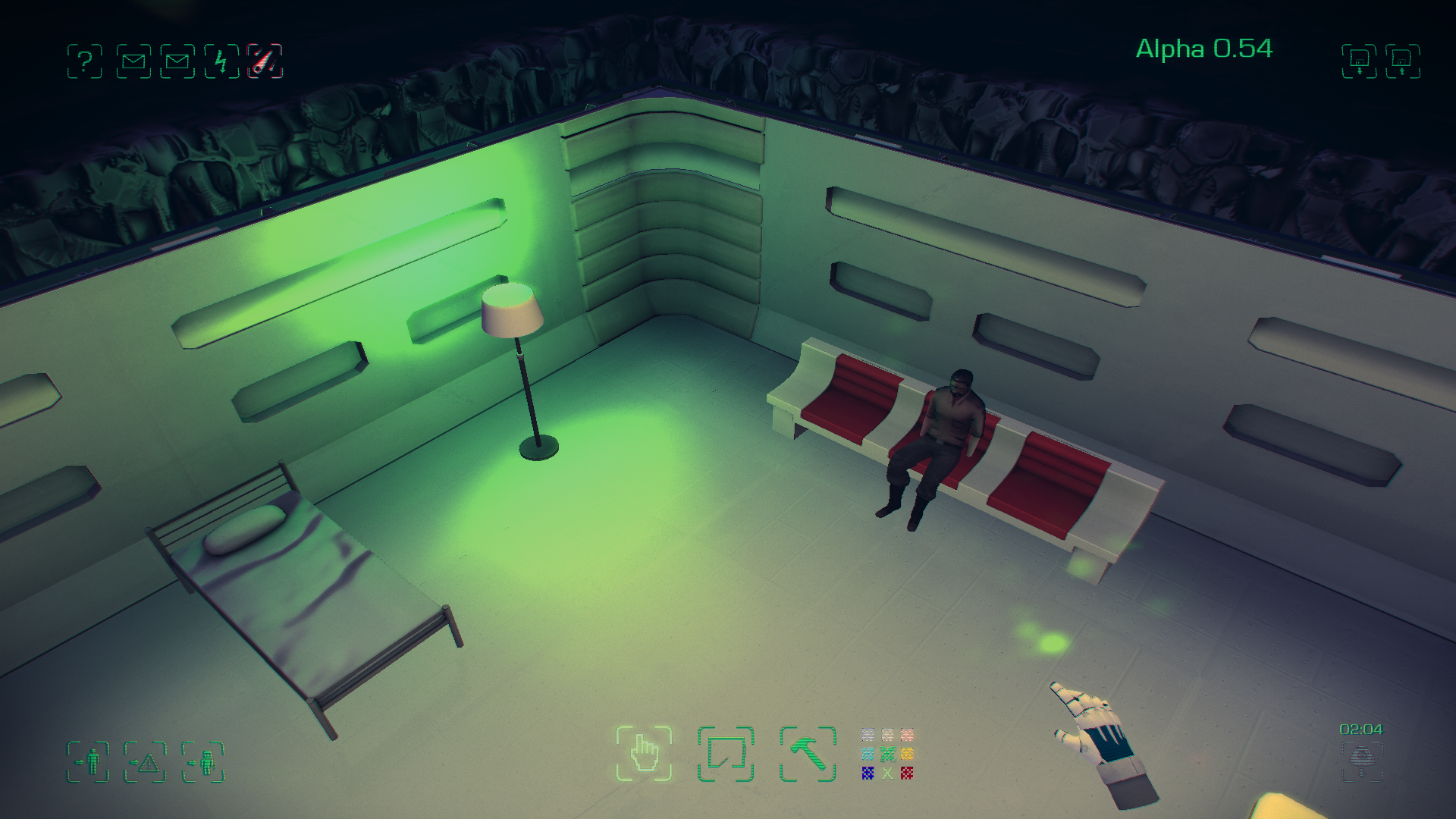
Several items can now be customised using the new colour picker. Choosing either warm, neutral, or cool colours can affect the moods of your colonists and other simulation factors such as the growth rate of plants.
customlight_thumb

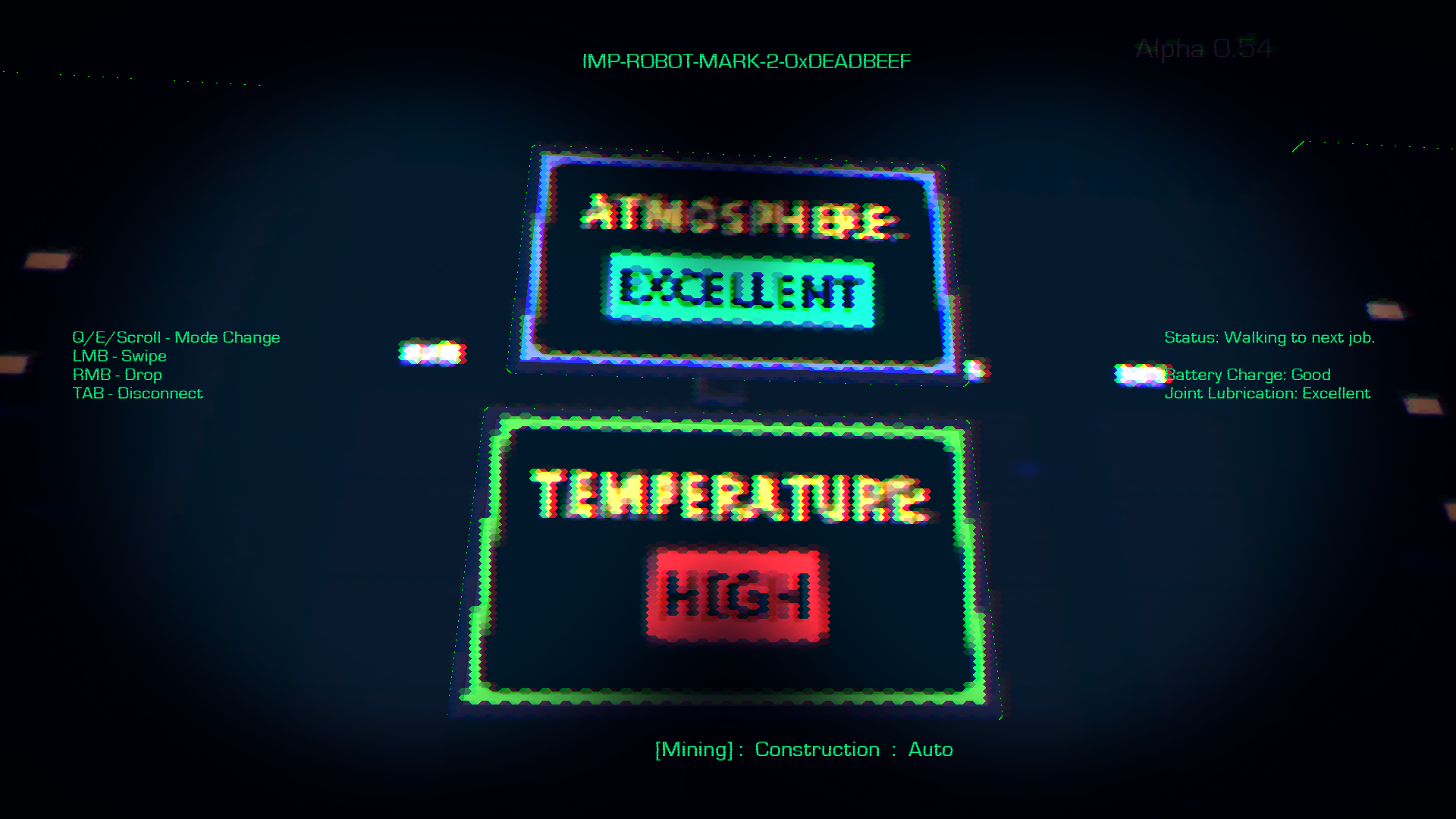
Wall mounted screens have been added to give more feedback to players and the colonist AI. These monitors show atmosphere status, temperature status or aesthetic images to improve your colonists moods.
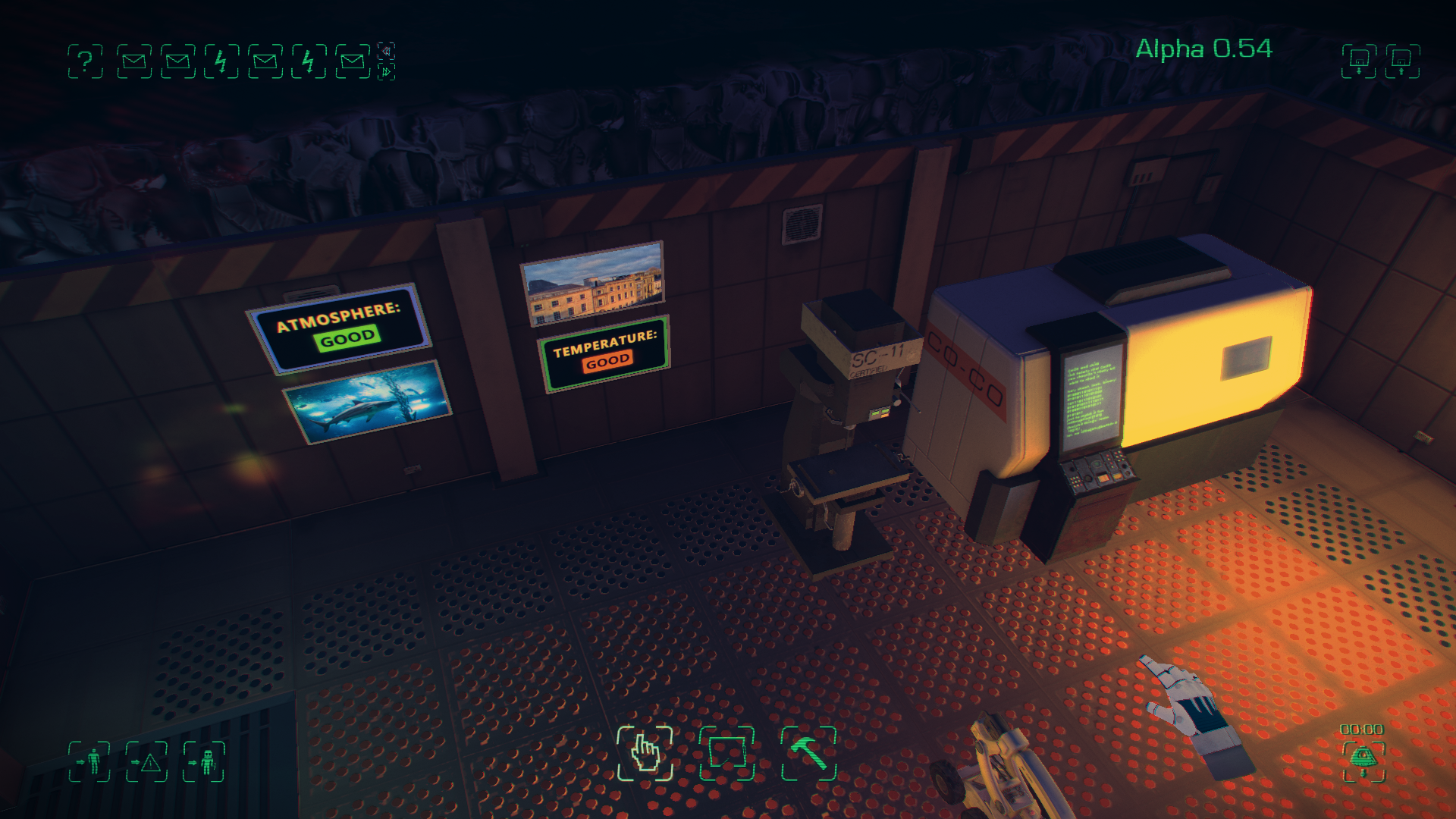
screens2_thumb

Another new wall item is the Circuit Breaker, you’ll be able to turn these off and on to control the power grid on a room by room basis. This is useful if you need to conserve energy, prevent fires or to stop the colonists from using certain rooms.
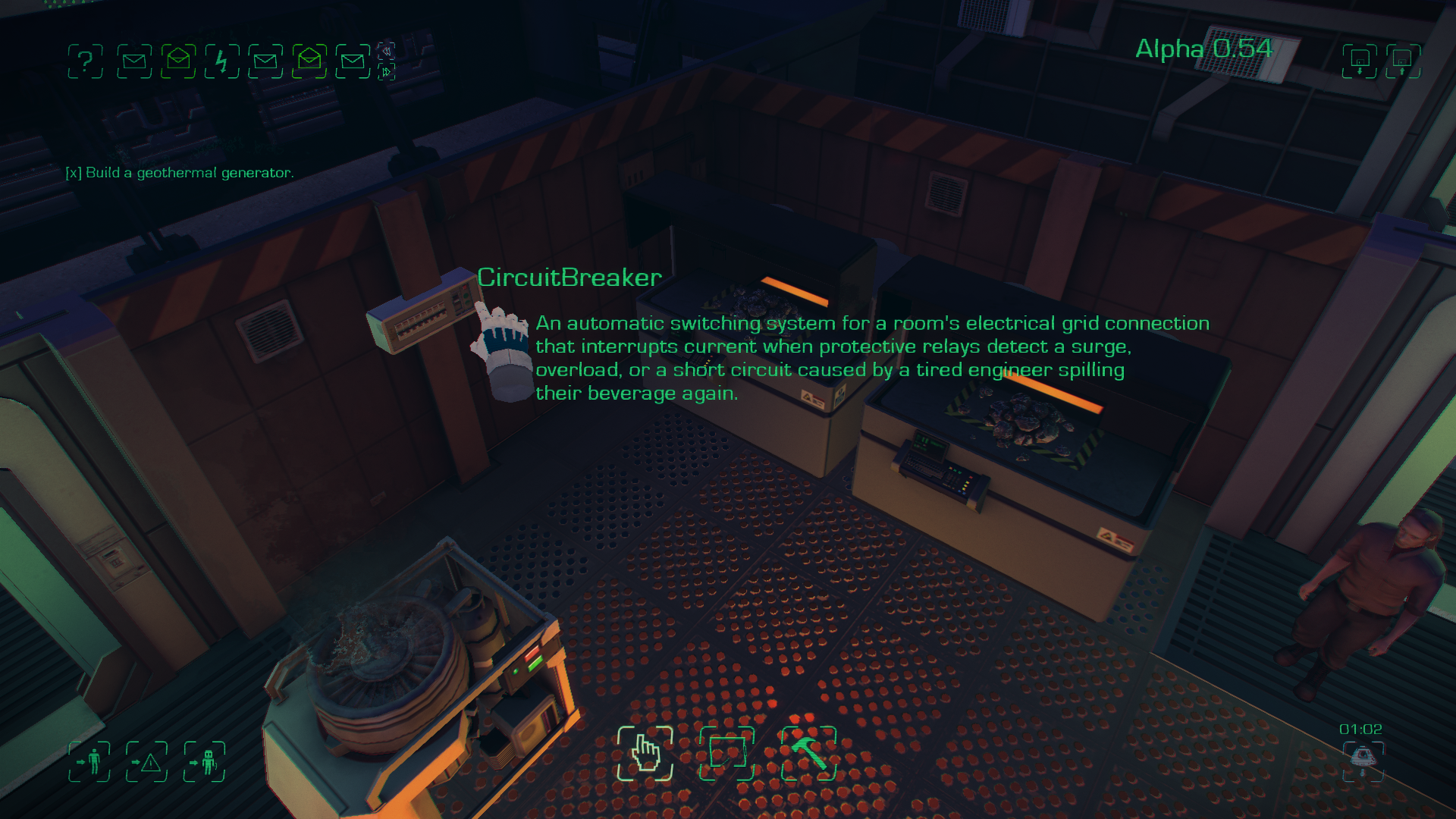
circuitbreaker_thumb

Stratospheric Sulphates

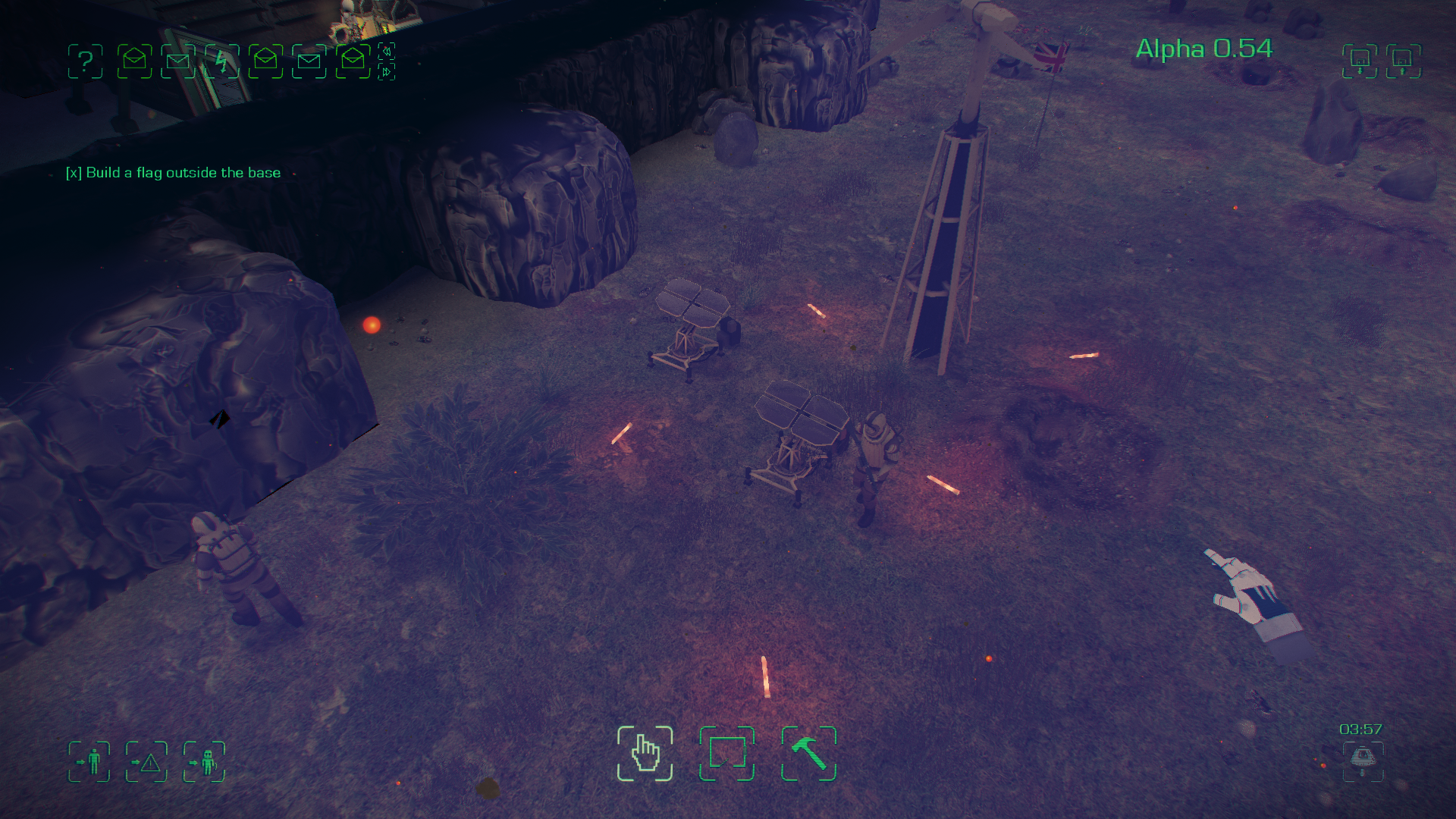
Begin the geoengineering of Maia with the mining of sulphur in the shadow of an active volcano.

The latest standalone mission to be added Maia, Stratospheric Sulphates introduces several new challenges for experienced players. Rush to build a self sustaining base as hot volcanic ash and embers rain down on your demoralised colonists.
User Interface Improvements.

We’ve worked to improve the overall feel of the game and provide the player with more useful information.

The room placement interface has been dramatically improved. It’s now easier to use and allows the player more creative control and feedback. You’re also able to flood fill areas by double clicking whilst in the room placement mode and delete whole rooms by double right clicking them.
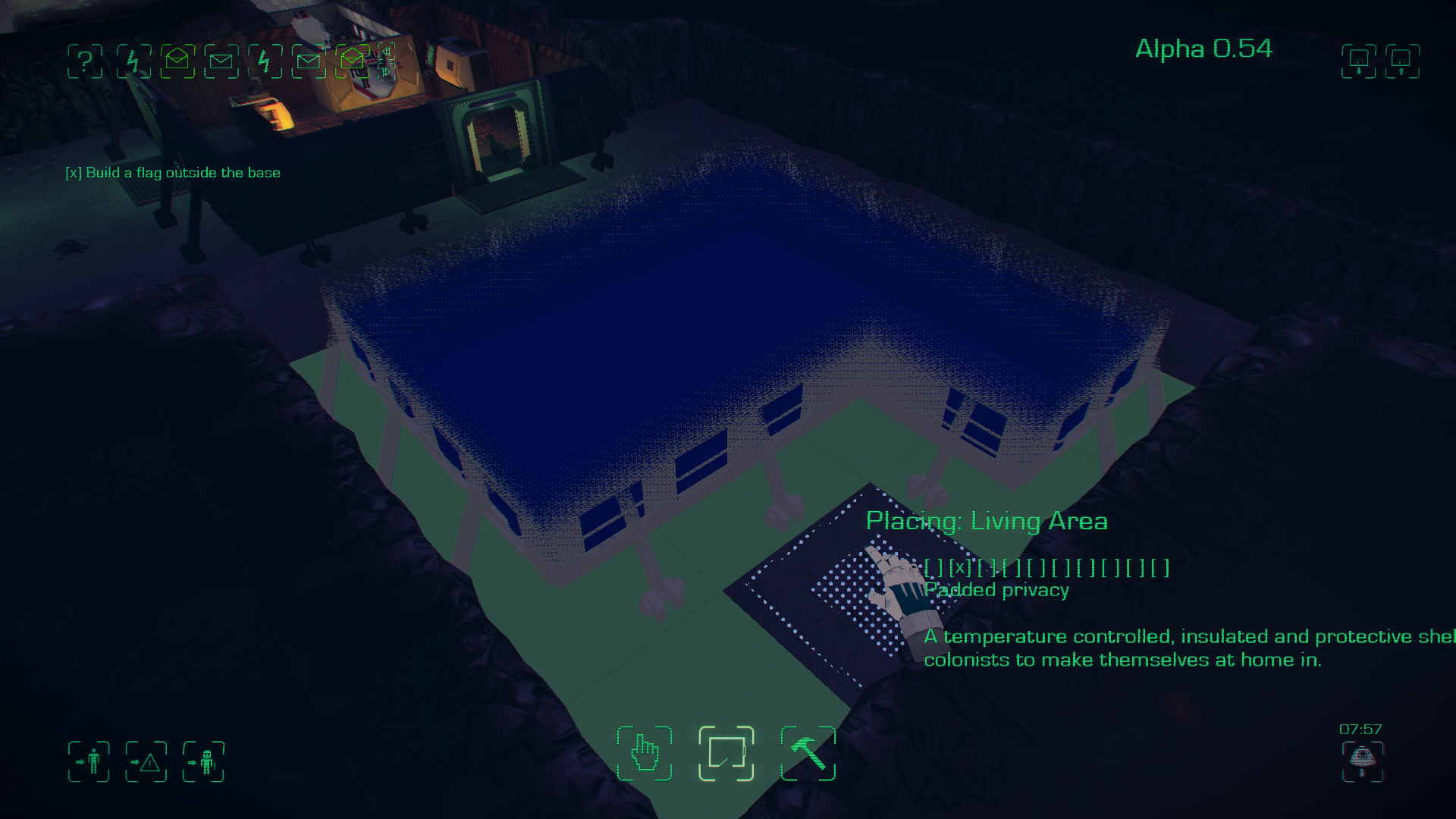
room_thumb

The Rotation options for objects have also been expanded to make it easier to place and move objects.

Emails And Announcements

Several new warning emails have been added. These include meteorite , earthquake and Weather warnings, and also new death alerts.
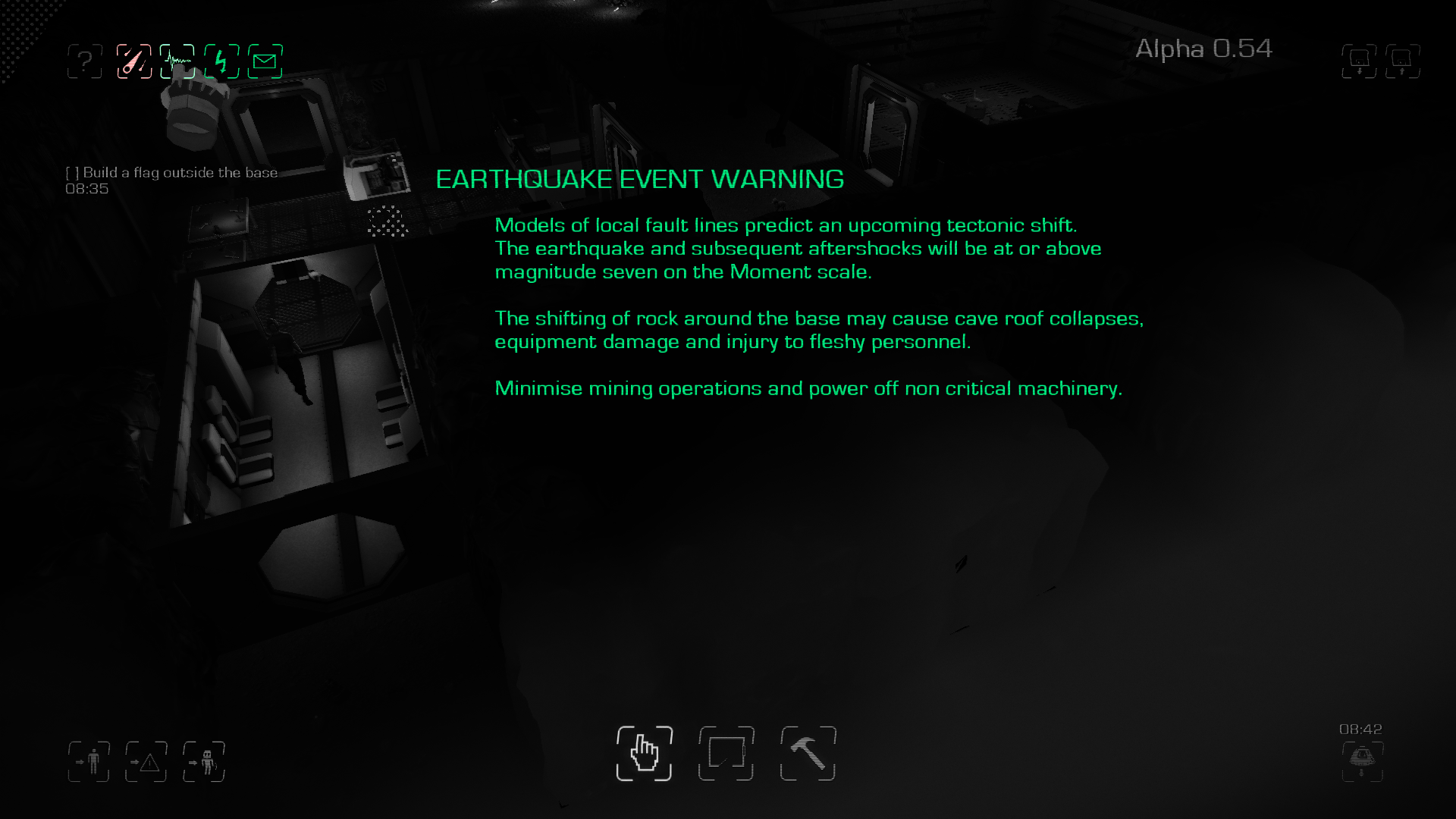
earthquake_thumb

New announcements have been added to alert the players many new events including base power state problems, temperature changes, research alerts and the state of rations.

Development

You can now follow Simon’s code changes for upcoming updates in real time on dev.maiagame.com.
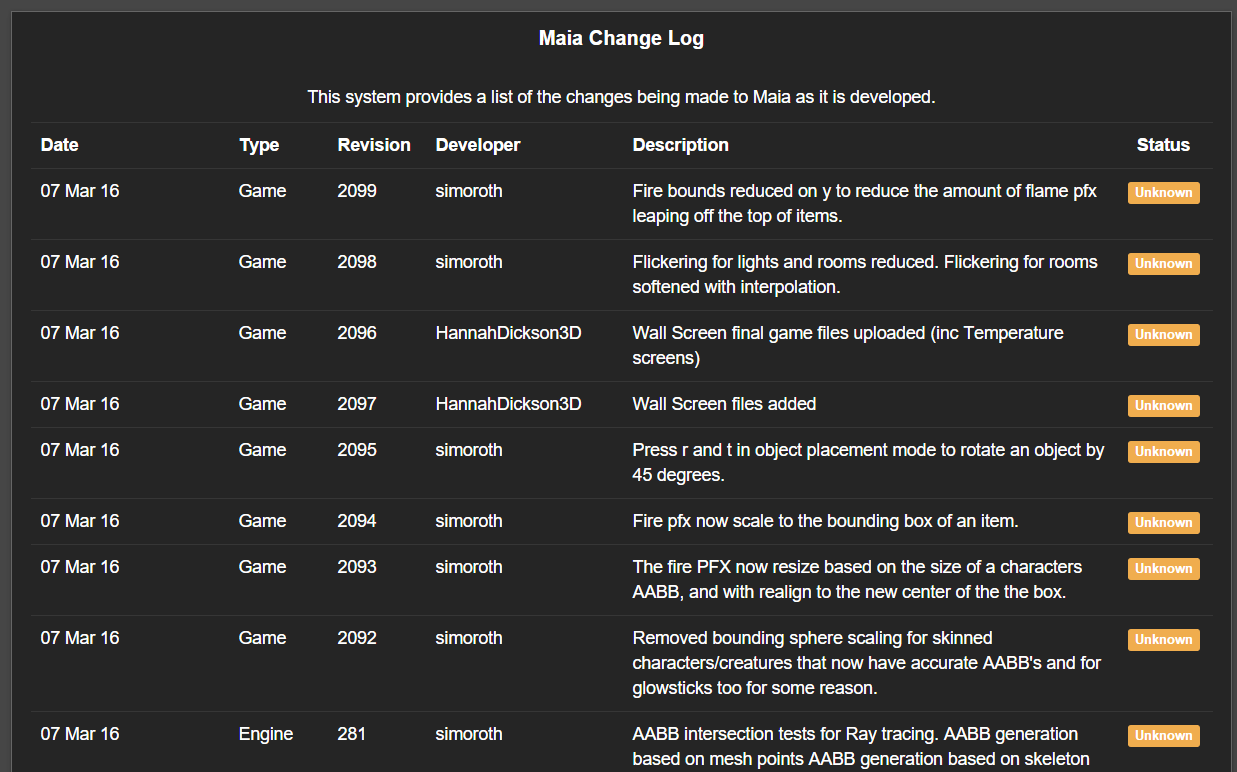
dev

Change Log:

Colonist Changes

  • Automatic Smelting. When colonists need building materials they will turn the smelters on automatically, however this comes with a risk. Colonists that are unskilled in smelting may cause fires and could fatally hurt themselves.
  • Colonists medical need balanced.
  • Suit will no longer be stuck venting after the colonist has died.
  • Perspiration, skin temperature, ventilation and heart BPM are now saved.
  • Colonists no longer get stuck on some external objects when repairing them.
  • Social needs are balanced better against productivity.
  • The base roof no longer appears when trying to possess colonist’s helmet cameras inside.

IMP Changes

  • IMP Digging AI changes including removing the digging marker when the rock wall has been removed.
  • IMP will place minerals further away from food or water barrels
  • IMPs are more able to pick up body bags in weird places.
  • Game no longer crashes if the player is possessing an object and it gets crushed in a cave in.
  • IMP’s animation for pulling plants has been corrected.

Object Changes

  • Maximum fuel in many objects has been reduced to shorten burn time.
  • Toilet multiplication on load has been fixed.
  • Doors can not be placed on top of each other any more.
  • Issues when moving broccoli fixed.
  • Balanced the creation of atmosphere.
  • Use R and T to rotate objects
  • Fixes for non-buildable items. Desk and medical scanners.
  • Necropsy table keeps giblets after saving.
  • Fix for radiation containment research lock.

Creature Changes

  • Dead creatures have stopped walking around after they have died.
  • Chickens should no longer cause a memory leak.
  • Chickens should no longer walk off into the unknown.
  • Molerats will now only consider eating plants and equipment that are less than 100m away from it.

Room/World Changes

  • Missing Roof tiles have been fixed.
  • Living area and livestock room tones fixed.
  • Invalid L shaped rooms are now marked red.
  • Broken rock walls roof graphics have been corrected
  • Deleting rooms no longer deletes rock walls.
  • Reduced the “absurd” resolution of the rain textures.

Mission Changes

  • Several fixes and alterations to the tutorial.
  • Crew selection added to custom missions.
  • Initial trigger for missions sometimes not working has been fixed.
  • Saving and loading in missions has been sped up and improved.
  • Room objective in tutorial now completes correctly.

Settings Changes

  • Text effect option issues have been fixed
  • Changing textures no longer breaks visuals

Other

  • Edge scrolling has been reduced. This means hovering over the save button doesn’t scroll the screen.
  • Capitalisation errors that were causing issues with Linux have been corrected.
  • Starting a new game after sandbox failure no longer causes black screen issues.
  • Research cheats have been moved to the console. Type “r” or “research” in the console to complete all research.
  • Refactor of the game.
  • Fix for black screen when calling down a lander.
  • Several memory leak issues fixed.

twitch maia development stream purple

Simon has been live streaming development every Friday over on Twitch.


All Current Known Bugs


Here’s a list of all our current known bugs and defects. This list doesn’t include features not yet implemented.

If you have identified a bug that we don’t have listed here, let us know on the Steam forum or Maia forum.

Here’s a guide to follow in order to give us the most helpful information about the bug you want to report.

Alternatively you can email us at support(at)maiagame.com

Ticket Summary Component
#214 Changing Resolution Causes GUI to become squashed. UI
#306 [Linux] Possible crash when Deleting large amounts of messages UI
#325 Repetitively loading a game causes everything to disappear apart from the UI Graphic
#347 Changing anti aliasing causes crash when attempting to enter session Code
#348 [Settings] Changing Textures breaks some visuals. Code
#10 Colonists sometimes wear Atmosphere Suit inside base. AI
#29 Dissembling Room function deletes Rockwalls Code
#49 Unique objects can be built slightly outside of rooms. Code
#62 Cave in save state issues. Code
#81 Lander has issues on loading Graphic
#89 IMP moving fossil becomes broken on loading AI
#115 Multiple Airlocks cause AI confusion AI
#116 Airlock can be placed and built halfway into wall. Code
#122 Colonists can become stuck in corners of rooms AI
#125 Colonist stuck between walls while attempting repair of Workshop drill AI
#137 Possible to place more than one door on the same spot. Code
#138 IMPs can attempt to pull plants from Lab containment. Code
#146 Room objects can be built outside of room along cave walls. Code
#148 Colonist/IMPs can become stuck between walls when building rooms. AI
#158 Colonists walking through walls. Code
#172 L peice Room layouts are considered vaild. Code
#177 Lander Icon starts flashing but does not call down new lander. UI
#185 [Tutorial] 3×3 Room Objective Ticks off before task is complete. Code
#203 Colonist can become stuck on external objects. Code
#207 Mail stacks up on load Code
#216 Shouldn’t be able to quick save during tutorial Code
#220 “Red” Screen on changing Textures Graphic
#221 [Settings] Text effects option issues. UI
#222 [Settings] Texture options issue. UI
#226 IMP moves Water Barrels to odd locations. AI
#244 People and Creatures sometimes maintain Inertia when the game is paused Code
#247 Colonist not sleeping correctly on beds. Animation
#253 Debris blocks interaction points. Code
#264 Dead Colonist alive on load Code
#285 Colonists death standing up Animation
#286 Interaction points not detecting walls correctly Code
#289 Sample object task does not instantly cancel AI
#291 Missing Text for objects. UI
#293 Dropped Materials blocking Interaction points in storage Code
#294 Colonist stuck in cave wall AI
#295 Water Barrel locks in place if player saves and loads. Code
#296 Utility bot AI tasks to same object as others and can overlap with colonists. AI
#310 Max Zoom out causes graphical artefacts at screen edges Graphic
#321 Toilets duplicate when saving and loading Code
#326 Multiple Storage rooms cause issues for IMP’s moving waterbarrels AI
#332 IMP possession – Clipping through walls. Graphic
#334 Colonist difficulty reaching Ration boxes AI
#335 Unable to click other objects when tracking another object. UI
#336 Trying to view cameras of colonists inside, causes roofs to appear. UI
#341 Desk / Medical Scanners are not being built AI
#343 Necropsy Table does not maintain status when saved. Code
#345 Research not appearing on tapes. Code
#350 [FPM] infinite drop of Rubble Code
#357 [Menu] Crew Selection – Starting custom mission does not prompt the screen to appear. UI
#359 [Menu] Crew selection – chosen crew incorrect on start Code
#362 IMP group behaviour during mining AI
#367 [Tutorial] Novelty objectives instant complete. UI
#368 [Tutorial] Objectives can only completed in linear route. UI
#370 [tutorial] Loading a save from continue unlocks UI UI
#372 Broken rock walls roof graphics Graphic
#322 Toilet animations do not line up with the colonists Animation
#5 Colonists Pass through Doors AI
#13 Colonist lander animation offset midway through Animation
#20 Megacephalalgias clip regularly with each other during animations and walking. Graphic
#45 UI scaling to 150% cuts off 3/4 of the rendered screen. UI
#76 Colonist current stats (heat/heartrate ect.) do not carry over on save. Code
#101 Possible to build around airlock blocking it Graphic
#104 Locked Doors cannot be unlocked unless clicking on frame. Code
#117 Airlock / rockwalls clipping Graphic
#119 Menu UI is easy to miss click to due large click boxes. UI
#135 [sound] Atmosphere Generator/3d printer upon loading a save will play their start up noises Sound
#155 Colonists wandering through objects AI
#159 IMP skips animations for plant pulling. Animation
#166 Smoke Wind Direction PFX not consistent Graphic
#205 Illumination of Hydroponic Trees depends on side of lighting source. Graphic
#225 Hopper can be placed midway through walls Code
#231 Meteorite can sometimes clip deep into the creator model Graphic
#240 Colonist suit venting while dead Graphic
#256 [sound] earthquake effect loops in ESC menu Sound
#282 Save Game Button location causes screen pan UI
#298 [Mission – Twilight Zone] Objective for ration packs does not untick when reduced under UI
#302 [Mission – Twilight Zone] Researching before objective appears, causes empty “message” screen UI
#308 IMP will hold building materials forever if interrupted AI
#314 Some colonists have faces that morph when moving. Animation
#319 IMP Robots and possibly other entities will finish doing their interrupted animation after being possessed. Animation
#328 Colonists eyes are not displaying properly or are missing. Graphic
#330 IMP possession – Looking at ground at start Code
#331 Moving Broccoli a second time leaves blueprint parts Graphic
#344 Megacephalalgia’s replay death animation on load. Animation
#354 Megacephalalgia’s come back to life Animation
#360 [Menu] Crew Selection – Menu Header is highlighted on first colonist selection UI
#361 IMP Pick up animation playing in areas without rubble. AI
#363 [Possession] Forced Mails cause Greyout Graphic
#366 Mouse over box on colonists is off centre UI
#371 [Tutorial] First two mails and ? are greyed out but interactible. UI
#373 [Crew Selection] UI buttons have inaccurate selection boxes UI
#377 Air vent Clipping Graphic
#50 Floor “Rubble” model can appear under pre-built rooms Graphic
#252 Colonist first task on load is to be social. AI
#315 Mail UI shifting over when there’s too many mails. UI
#316 Megacephalalgia’s eyes are not displayed at certain angles. Graphic
